The Right Team
A good tool is useless in the hands of a bad operator. Therefore, before the tool, comes the human. And when it comes to the kind of people we want to work with at GrowthRocks, I do look for different skills depending on the position. But there is one specific quality that I’m looking for regardless of position. And that is work ownership. The ability to take ownership of your work. Work ownership is a trait that every growth hacker should have. [caption id="attachment_68183" align="aligncenter" width="916"]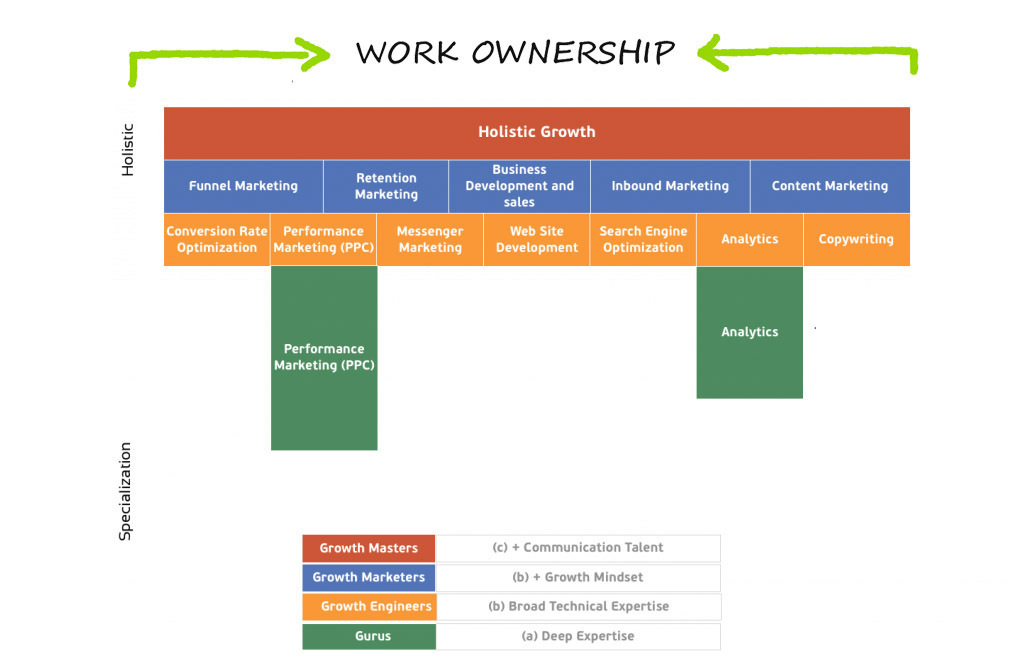 A Π-shaped marketer is nothing without ownership[/caption]
That said, before the pandemic, the structure of the company was not conventional. 'Non-conventional' was the kind of company we wanted to have and it was indeed the kind of company we managed to build.
Taking ownership is about 3 things:
A Π-shaped marketer is nothing without ownership[/caption]
That said, before the pandemic, the structure of the company was not conventional. 'Non-conventional' was the kind of company we wanted to have and it was indeed the kind of company we managed to build.
Taking ownership is about 3 things:
- Taking the initiative. If you think that something has to be done it is you who is going to set the wheels in motion. So take the initiative and proceed.
- Being the decision-maker. You have the plan and you need to know what has to be bone. You call the shots. And if something doesn’t go according to the plan, be as proactive as you can and transparent with your communications.
- Being responsible for the result. Regardless of the outcome, you are responsible for the end result.
1. Gwork.io
Remember when I said that I don’t like micro-managing? That’s because every employee is the manager of their own self. So how do we do that? Gwork is a platform dedicated to improving your employee productivity. This platform builds the profile of the employees according to parameters such as:- Tasks status (Completed, started, due, overdue, delivery speed)
- HR Data
- Sales Data
- Net Promoter Score (NPS)
- Employee Evaluation
- Team activities
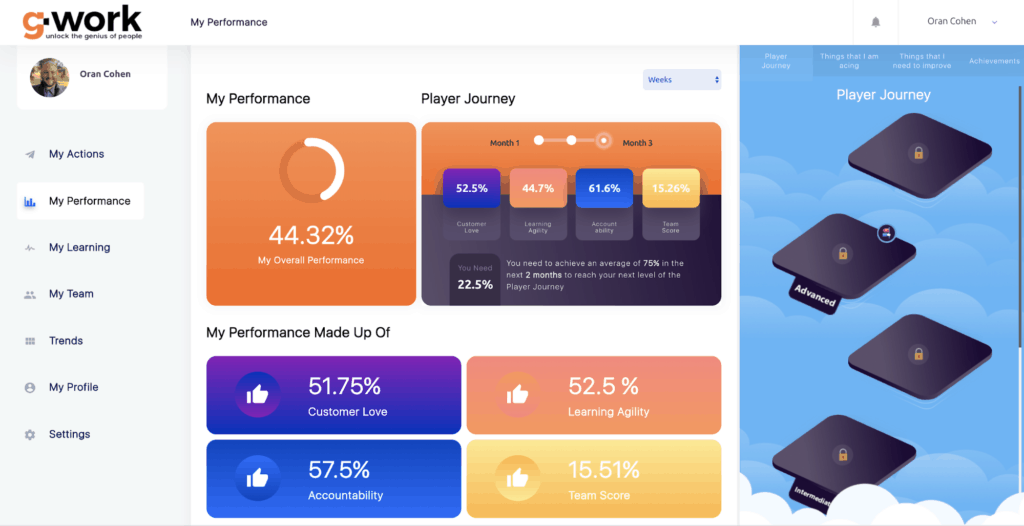 The Gwork performance dashboard[/caption]
Gwork effectively allows employees to see what they’re doing well and in which areas they might need improvement. Not only that but it shows them how they can improve on a weekly basis, with practical actions.
Furthermore, Gwork has a Reporting Dashboard that is fully integrated with different systems, to get information and data daily.
Ultimately, this tool can be the assistant of every employer and employee alike. It’s all about transparency, guidance, and performance.
The Gwork performance dashboard[/caption]
Gwork effectively allows employees to see what they’re doing well and in which areas they might need improvement. Not only that but it shows them how they can improve on a weekly basis, with practical actions.
Furthermore, Gwork has a Reporting Dashboard that is fully integrated with different systems, to get information and data daily.
Ultimately, this tool can be the assistant of every employer and employee alike. It’s all about transparency, guidance, and performance.
2. ToolFree Forwarding
Email, chatbot, on-site widgets - as an agency we have many different contact points. But just because we are digital doesn’t mean that we shouldn’t use traditional means. Hence our two phone numbers appear at the footer of our Homepage. Anyone who prefers a phone call over an email can, well, just give us a call. So what happens now that there is no one in the office? Does our phone just ring all by itself in a cold dark room? Of course not! We have ToolFree Forwarding installed. Now, whenever new leads call us, their calls get automatically transferred to the smartphone of our sales rep. And that’s how we answer our calls anywhere - for a little over $20 a month (+ the minutes of talking time, of course). Not too shabby.3. Slack
You probably know Slack. Slack is the reason we talk about Channels and not Inboxes. Slack gives you access to real-time conversations with all your colleagues. It’s the glue that holds the team members of a team and, simultaneously, all these teams together. This communication tool is all about agility and transparency. It helps us stay productive. At the same time, it helps maintain human connections between us. Furthermore, Slack integrates with many other apps - from Zapier to Google Drive. This brings us to the next tool in our working remote tools.4. Zoom
Slack is great and everything but what do we do with our meetings and video conferences? Since the majority doesn’t seem to enjoy meetings very much, it makes it a little better when we do it from the comfort of our own homes. And Zoom makes meetings a smooth sale. From starting and booking a meeting to sharing content, Zoom makes our remote working lives a lot easier. [caption id="attachment_68179" align="aligncenter" width="422"]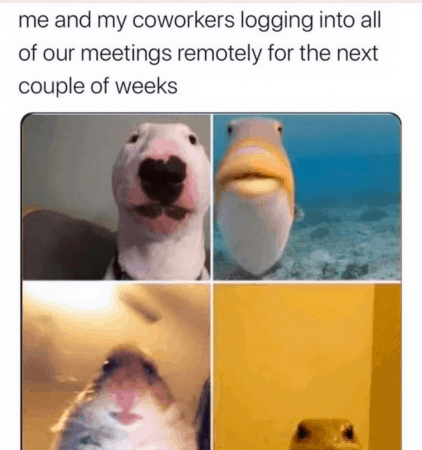 Not Zoom[/caption]
The quality of sound and image is unmatched with HD Video and high-quality audio.
Zoom integrates nicely with Office 365, Exchange, and Google Calendar. You can also integrate it with other apps to use meeting minutes templates for note-taking.
Speaking of which, let’s take a look at the next remote working tool we use these days.
Not Zoom[/caption]
The quality of sound and image is unmatched with HD Video and high-quality audio.
Zoom integrates nicely with Office 365, Exchange, and Google Calendar. You can also integrate it with other apps to use meeting minutes templates for note-taking.
Speaking of which, let’s take a look at the next remote working tool we use these days.
5. Google Calendar
But of course. How could Google Calendar miss from a remote working tool list? The way we use Google Calendar is simple: 100% transparency. Anyone can take a look at the (professional) Google Calendar of any other colleague. And so anyone knows anytime a fellow colleague is available. It works in our remote scenario as well as it worked back in the office!6. Google Drive
No one likes data breaches. That’s why we have a clear desk policy. But now that everyone is working from the desk of their home we have nothing to worry about. Well, close enough. We still need to keep an eye on our hard drives. Nonetheless, to avoid that altogether we also have a policy of not storing anything in our hard drives. Everything is on the cloud: google docs, sheets, collaboration documents, playbooks - everything. If you want to go a step further, you can also use remote device management to ensure that all company devices are secure and properly configured, no matter where your team is working from.7. Last pass
Last Pass is the sole reason why none of us need to remember any password ever again. And neither should you. In case you don’t know about Last Pass it’s a browser extension. This extension saves and remembers all your passwords. It also allows synchronization between all browsers and devices. Additionally, Last Pass features Security Notes. This is a highly protected digital notepad where you can store important documents like insurance cards, memberships, etc.8. Active Campaign
If marketing automation is our religion then Active Campaign has to be the priest. Active campaign is the platform we use not only for our email campaigns but also for nurturing leads. Both our marketing and sales teams use it more than they will admit. Marketing loves it for creating automation for the customer’s journey and building growth funnels. Sales create new deals automatically. Active Campaign can create a deal when a lead takes a certain action - like submitting a form or downloading a lead magnet. There is also lead scoring based on the lead actions, according to which you can target and message the most engaged leads (yeah, automatically). ActiveCampaign integrates with more than 250 other apps, too.9. Calendly
In case you still aren’t convinced how much we like automation we also use Calendly. Scheduling meetings with people outside your company is not very easy. Different schedules and time zones make it even harder. What Calendly does is that it creates a link that you send to the invitees. That link contains specific time slots that you set and they have to choose one of the options you give them in the first place. Calendly also integrates with the most popular calendar apps (Google, Outlook, Office 365 iCloud) so I and Sales are never double-booked. It’s a fantastic tool for bigger sales teams, too. Get this: it distributes leads automatically (and evenly) to the entire team according to the capacity of each member. Cool, right? Last but not least, it works with Salesforce, GoToMeeting, and Zapier.Honorable Mentions
Just because this is a top10 list doesn't mean that we only use these 10 tools. Here are a few honorable mentions of tools we and our clients love to use.1. Fyle
Fyle is an AI-powered spend management software that helps businesses automate pre-accounting from end to end. No matter where anyone from GrowthRocks is (all over Europe) or what device they use, expense reporting happens with one click. With its recent integration with Visa, Fyle completely surpasses banking integrations to bring real-time spend notifications, insights, tasks, and reports right to the dashboard. And with its tight-knit integrations with accounting software like QuickBooks, NetSuite, and Sage Intacct, Fyle has completely automated our expense management process!2. NAKIVO Backup & Replication
Not all tools for remote work are blessed with a backup feature. If you don’t have a backup solution yet, consider NAKIVO Backup & Replication. This solution offers all-in-one data protection for physical, virtual, cloud, or SaaS environments.
Nakivo provides us with ideal security for our remote work thanks to its incremental data backups, strong encryption, and several recovery options. What's more, the NAKIVO data protection tool allows us to reduce security risks during remote work.
[caption id="attachment_76320" align="aligncenter" width="800"]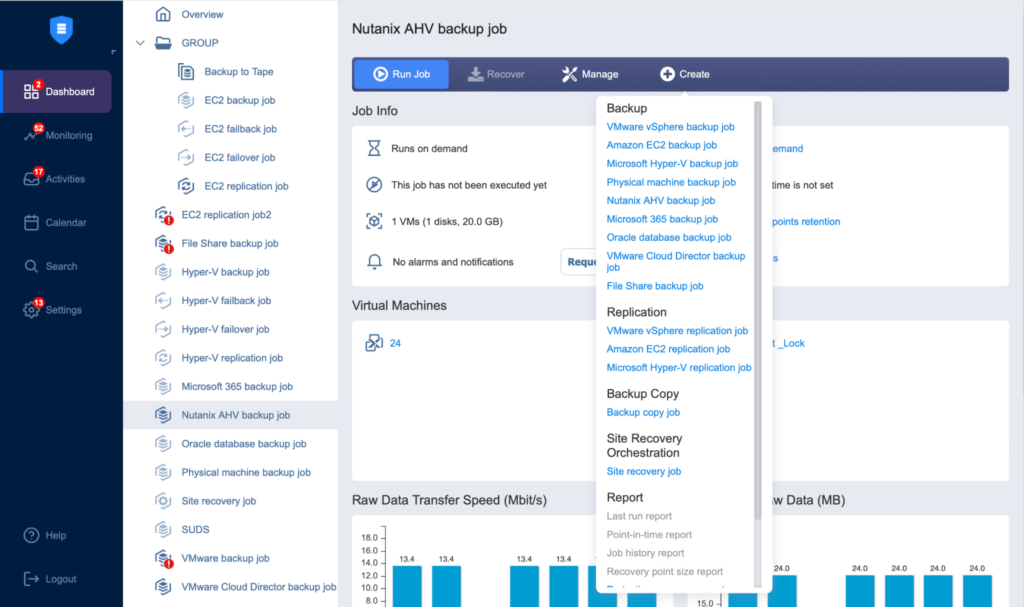 NAKIVO's dashboard[/caption]
You can back up Windows and Linux physical servers and workstations, VMware vSphere, Microsoft Hyper-V and Nutanix AHV virtual machines, Amazon EC2 instances, Microsoft 365 apps, and Oracle Database.